Jan
8
2012
8
2012
Object placement & pickup with mouse
 An article by
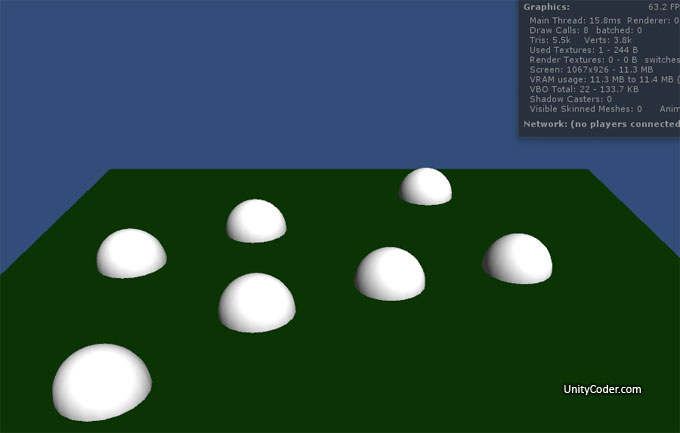
Testing.. related to this topic: http://forum.unity3d.com/threads/118581-Placing-object-on-mouse-down
Controls:
- Left mouse button, place object
- While placing object, hold mousebutton down to keep moving the object
- With left mouse button, you can pick previously added objects (hold button down to move them)
Webplayer: (flash)
http://unitycoder.com/upload/demos/mMousePlacementPick1/
Download example scene: (Unity3.5)
mMousePlacement1.unitypackage
Source: (messy js)
Attach this to camera, add some prefab.
Note. the prefab needs to be on layer #8
// mouseplacement & pickup - v1.0 - 08.01.2012 - mgear - http://unitycoder.com/blog/
// instantiate objects with mousebuttondown, while button is held down, move the object at mouse cursor
// also you can pick previously added object and move it around (button held down)

#pragma strict

public var ObjectToPlace:Transform; // prefab to instantiate
private var clone:Transform; // hold instantiated object on this variable

// mainloop
function Update ()
{

if(Input.GetButtonDown("Fire1"))
{
var ray = Camera.main.ScreenPointToRay (Input.mousePosition);
var hit : RaycastHit;
var layerMask = 1 << 8; // check help page "layerMask", here we only cast ray on layer 8 (prefab layer)

// first we check if we hit previously added prefab
if (Physics.Raycast (ray, hit, Mathf.Infinity, layerMask))
{
clone = hit.transform; // grab the object that we hit, so we can move it around

}else{ // we didnt hit prefab, check if are will hit something else

layerMask = ~layerMask; // invert layermask, so we dont hit layer 8 (which is for prefabs)
if (Physics.Raycast (ray, hit, Mathf.Infinity, layerMask))
clone = Instantiate(ObjectToPlace, hit.point, Quaternion.identity);
}
}

if(Input.GetButtonUp("Fire1")) // button released
{
clone=null; // clear clone variable
}

if(Input.GetButton("Fire1")) // mousebutton is held down
{
if (clone!=null) // if there is some object in clone variable
{
var ray2 = Camera.main.ScreenPointToRay (Input.mousePosition);
var hit2 : RaycastHit;
var layerMask2 = 1 << 8;
layerMask2 = ~layerMask2; // we are casting rays on other layers, except 8
if (Physics.Raycast (ray2, hit2, Mathf.Infinity, layerMask2))  // we hit something
{
clone.position = hit2.point; // move our object there
}
}
}
}
Did you enjoy this article? Share it!


Related Posts


7 Comments + Add Comment
Leave a comment
Recent posts
- Game Loop Designer
- Favorites in PackageManager
- LudumDare59 : Signal
- Unity Editor: Tree Generator
- Leaf/Foliage Generator Tools (Runs in Browser)
- Testing Unity AI Beta
- Ways to Support UnityCoder Development
- Using UI Slider to Create 5-Star Rating Element
- Game Music Library For Unity (editor plugin)
- Fontastic : Easily Test Fonts in Unity Editor!
- GeoTiff Importer & Terrain Generator for Unity
- Create Baked DropShadow for UI images
Connect


Recent Comments
Support my work at Bags.fm:
Coin:
Coin:
CUgDSbRqFcAumDSAcdKDvuXsw26VdkJe8C8WGUQHBAGS
Subscribe to Blog via Email
Tag Cloud
2d
3D
AI
algorithm
android
asset
build
color
custom
demo
editor
effect
fake
free
game
generator
greasemonkey
indie
javascript
light
line
ludumdare
mesh
paint
particles
physics
plugin
procedural
proto
prototype
script
sea
shader
shadow
sprite
terrain
texture
tutorial
ui
unity
vertex
visibility
water
waves
webgl
why “Error while importing package: Couldn’z decompress package”? But my Unity is 3.5 Pro.
hmm..seems that the file is corrupted, ill update it later today.
*link fixed
Thank you very much!
Hello there. Great example for object picking !
The problem with this script is that the prefab ( gameobject ) change his place when it clicked by the mouse. ( the half of the prefab become above the plane )
i want to change the prefab like instead of sphere i want to use a cube. how can i do this?
in the inspector you can assign another object (prefab) to “ObjectToPlace”
check prefab tutorial,
http://unity3d.com/learn/tutorials/modules/beginner/editor/prefabs-concept-usage