6
2015
Custom shader Transparency & Batching issues
 An article by
While updating this billboard shader https://github.com/unitycoder/DoomStyleBillboardTest , had couple strange shader issues:
Problem#1:
Overlapping transparent area clips other object behind it (see issue#6)
This one was solved by adding “ZWrite Off” to the shader, apparently something to do how transparent objects get depth sorted..(?)
http://docs.unity3d.com/Manual/SL-CullAndDepth.html
 (image, problem#1)
—
Problem#2:
If there are multiple copies of the same object, rotation/scale/direction is broken, object moves to wrong direction as if they are locked together (see issue#5)
This one was solved by adding DisableBatching”=”True” to the shader tags. So Dynamic Batching was the issue..
Tags {“Queue”=”Transparent” “IgnoreProjector”=”True” “RenderType”=”Transparent” “DisableBatching”=”True”}
Other option was to disable [ ] Dynamic Batching from player settings.. but that would disable it for all objects..
http://docs.unity3d.com/500/Documentation/Manual/SL-SubshaderTags.html
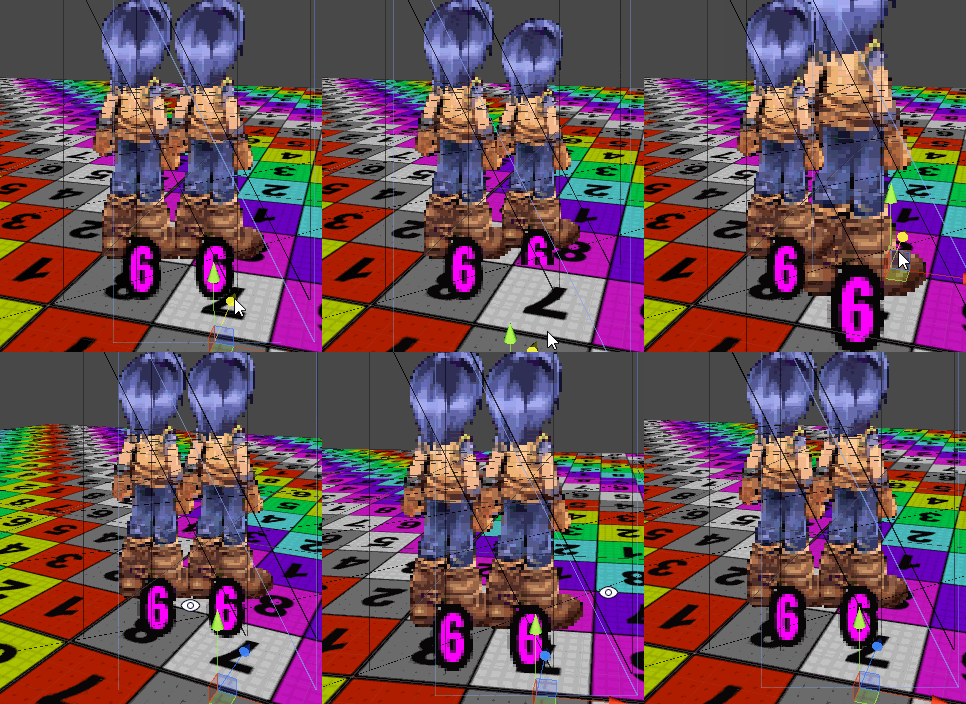 (image, problem#2)


Related Posts


Leave a comment
Recent posts
- Editor Tool: Property Watcher
- .unityignore : Hide files from Project window
- PostBuild Script to Create Single exe Standalone File
- Game Loop Designer
- Favorites in PackageManager
- LudumDare59 : Signal
- Unity Editor: Tree Generator
- Leaf/Foliage Generator Tools (Runs in Browser)
- Testing Unity AI Beta
- Ways to Support UnityCoder Development
- Using UI Slider to Create 5-Star Rating Element
- Game Music Library For Unity (editor plugin)
Connect


Recent Comments
Coin:
CUgDSbRqFcAumDSAcdKDvuXsw26VdkJe8C8WGUQHBAGS