Jun
26
2016
26
2016
Unlit Fake Curved World Shader
 An article by
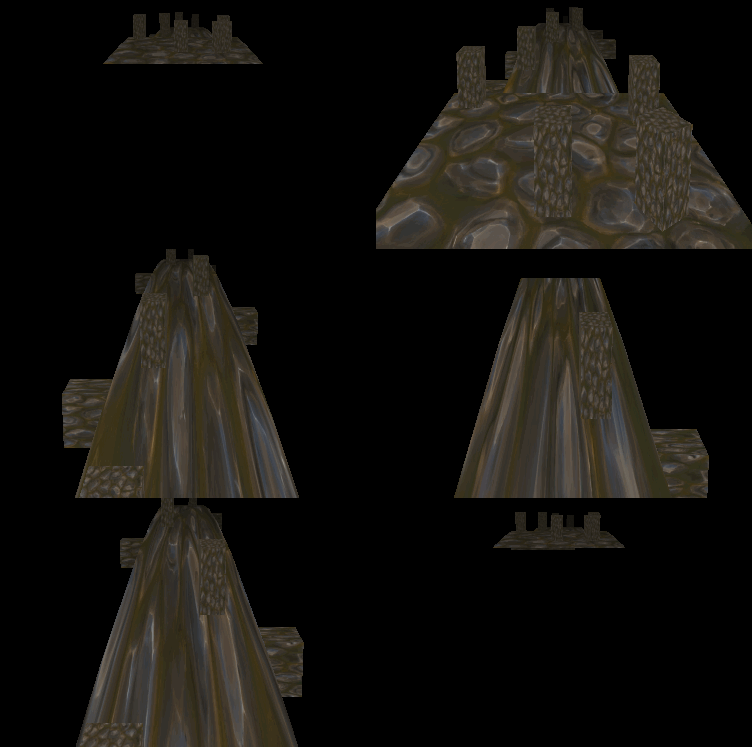
Tried to get world position from depth texture, but it didn’t work.. then founded COMPUTE_DEPTH_01 instead,
makes nice curve effect when applied to meshes (pushing the y vertices down based on depth).. although breaks a bit depending on camera rotation/position..
Shader source:
https://github.com/UnityCommunity/UnityLibrary/blob/master/Shaders/Vertex/UnlitFakeCurved.shader
without curve-shader:

But if you are looking for nicer curve effect, here’s one:
https://alastaira.wordpress.com/2013/10/25/animal-crossing-curved-world-shader/
Did you enjoy this article? Share it!


Related Posts


2 Comments + Add Comment
Leave a comment
Recent posts
- Editor Tool: Property Watcher
- .unityignore : Hide files from Project window
- PostBuild Script to Create Single exe Standalone File
- Game Loop Designer
- Favorites in PackageManager
- LudumDare59 : Signal
- Unity Editor: Tree Generator
- Leaf/Foliage Generator Tools (Runs in Browser)
- Testing Unity AI Beta
- Ways to Support UnityCoder Development
- Using UI Slider to Create 5-Star Rating Element
- Game Music Library For Unity (editor plugin)
Connect


Recent Comments
Support my work at Bags.fm:
Coin:
Coin:
CUgDSbRqFcAumDSAcdKDvuXsw26VdkJe8C8WGUQHBAGS
Subscribe to Blog via Email
Tag Cloud
2d
3D
AI
algorithm
android
asset
build
color
custom
demo
editor
effect
fake
free
game
generator
greasemonkey
indie
javascript
light
line
ludumdare
mesh
paint
particles
physics
plugin
procedural
proto
prototype
script
sea
shader
shadow
sprite
terrain
texture
tutorial
ui
unity
vertex
visibility
water
waves
webgl
Rather than grabbing depth, since you’re in the vertex shader anyway, couldn’t you just apply MV and P transformations separately, and then do your transformation while in view space? Unless you’ve scaled the camera transform, you should be at world scale in local camera space at that point.
Yes, wasn’t really useful effect the way i left it..and would look nicer if do real curve, instead of just pushing on Y..